

Clover Kiosk available for Semi-Integration | US
The all-in-one self-service solution for custom-integrated checkouts
We are excited to announce that the Clover Kiosk is now available, with Dev Kits ready for semi-integration developers in the US.
IMPORTANTMake sure your apps are available to merchants using the new device. After verifying your app functions as expected, update your app settings to include the new device when you select the app type.
What's new
The Clover Kiosk is a powerful, customer-facing self-service solution designed specifically for semi-integration. It provides a secure, EMV-certified solution for accepting payments while giving you full control over the primary checkout flow on your POS or kiosk.
This device is ideal for high-volume retail, quick-service restaurants, and unattended kiosks where speed and reliability are essential.
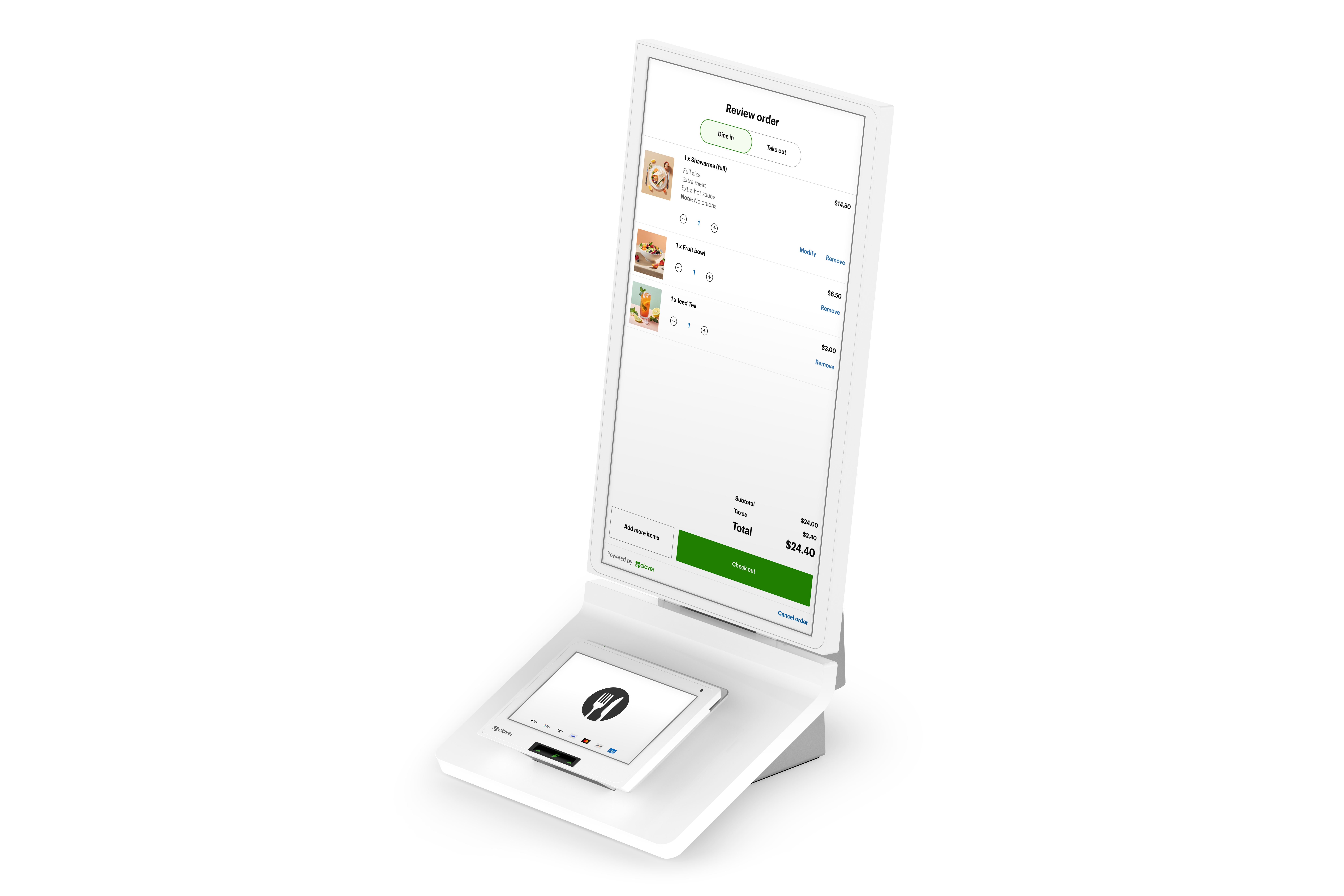
Clover Kiosk, front and side views
Feature highlights
Notable features of the Clover Kiosk are:
- Operating System: Android 10.x
- Processor: Qualcomm Snapdragon 660 Octa Core Processor, 1.8GHz 4 Cores and 2.2GHz 4 Cores
- Memory: 4GB LPDDR4x
- Storage: 16GB eMMC
- Display: 23.8" IPS FHD Ordering Display and 8.0" IPS HD Payment Display with anti-fingerprint coating
- Payment Support: EMV® Contact (chip), EMV Contactless (tap), and Magnetic Stripe (MSR)
- Connectivity: Wired LAN 10/100 Fast Ethernet, Wi-Fi (802.11a/b/g/n/ac, 2.4GHz and 5GHz), and LTE
- Camera: 5MP integrated camera (on payment terminal), supports 1D/2D barcode scanning
- Printer: Built-in thermal line dot printer with paper out sensor
- Audio: 3.5mm Stereo Audio Jack with mic input and Mono Dynamic Speaker
- Ports: 4x USB Type A port, 1 x USB Type B port (for developers)
Recommendation for developers
Step 1: Order your Clover Kiosk Developer Kit.
Your DevKit will include the Clover Kiosk device (sandbox-enabled) and the required cables for POS integration.
NoteIf you cannot order a DevKit, you can build and test your integration by using the Android Emulator or by mocking responses from the SDK.
Step 2: Set up your Kiosk following the hardware guidelines on the Clover Merchant Help site: Kiosk Quick Start Guide.
Step 3: Test your apps on the Android 10.x operating system.
Step 4: Update your app settings to include the new device. This will make sure it is available to merchants using the device.
Note for semi-integration developers
- For remote semi-integration, the Remote Pay SDK for Windows and Android supports on-device Pay Display apps for the payment interface.
- REST Pay Display API support is planned for 2026.
Support
For questions and feedback, send an email to [email protected].
Updated 4 months ago