---
updatedAt: 2026-03-24T12:13:43.000Z
agentTools:
projectIndex: https://docs.clover.com/dev/llms.txt
---
# Connect point of sale app to the Clover device
[block:html]
{
"html": "\n\n\n"
}
[/block]
## Connection Options
Use one of two methods to connect your point of sale (POS) app to the Clover device:
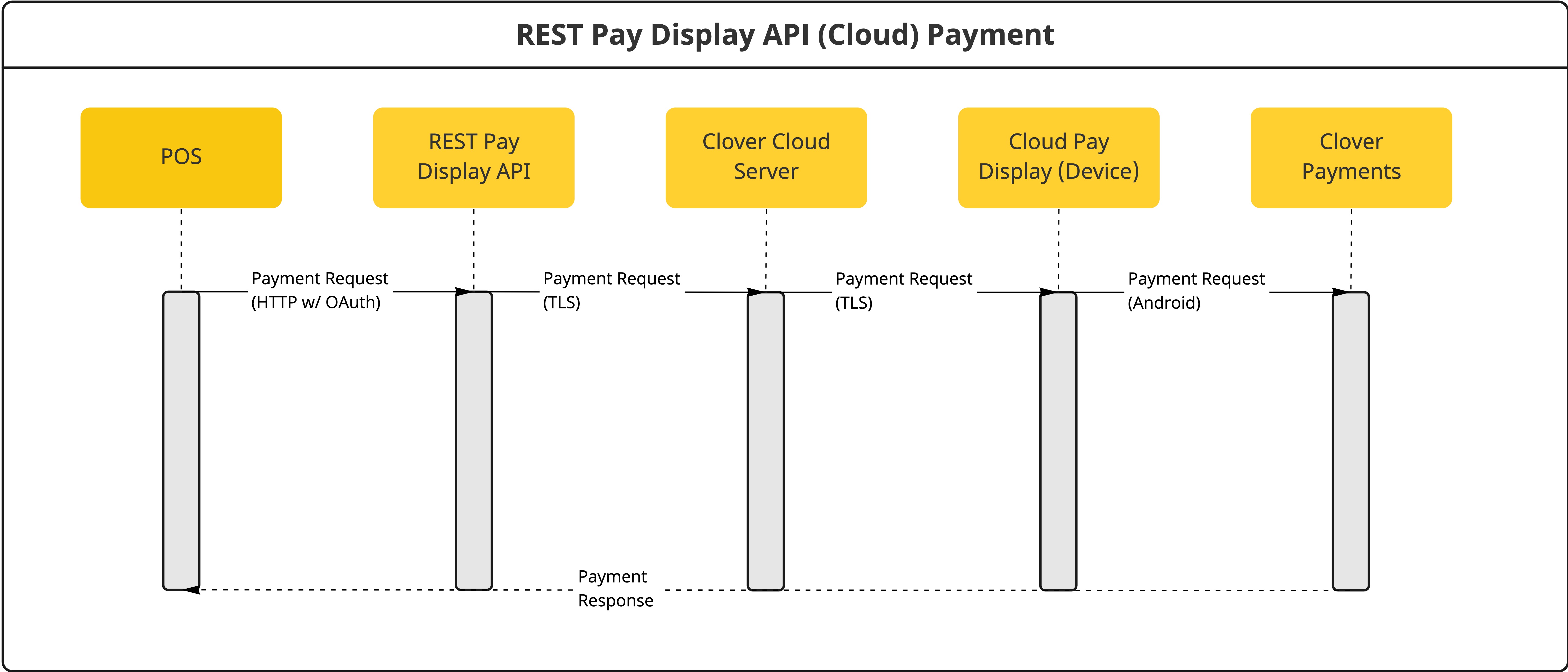
* Cloud connection uses Clover Cloud Server and the Cloud Pay Display App on the device to broker messages between your POS app and the device.
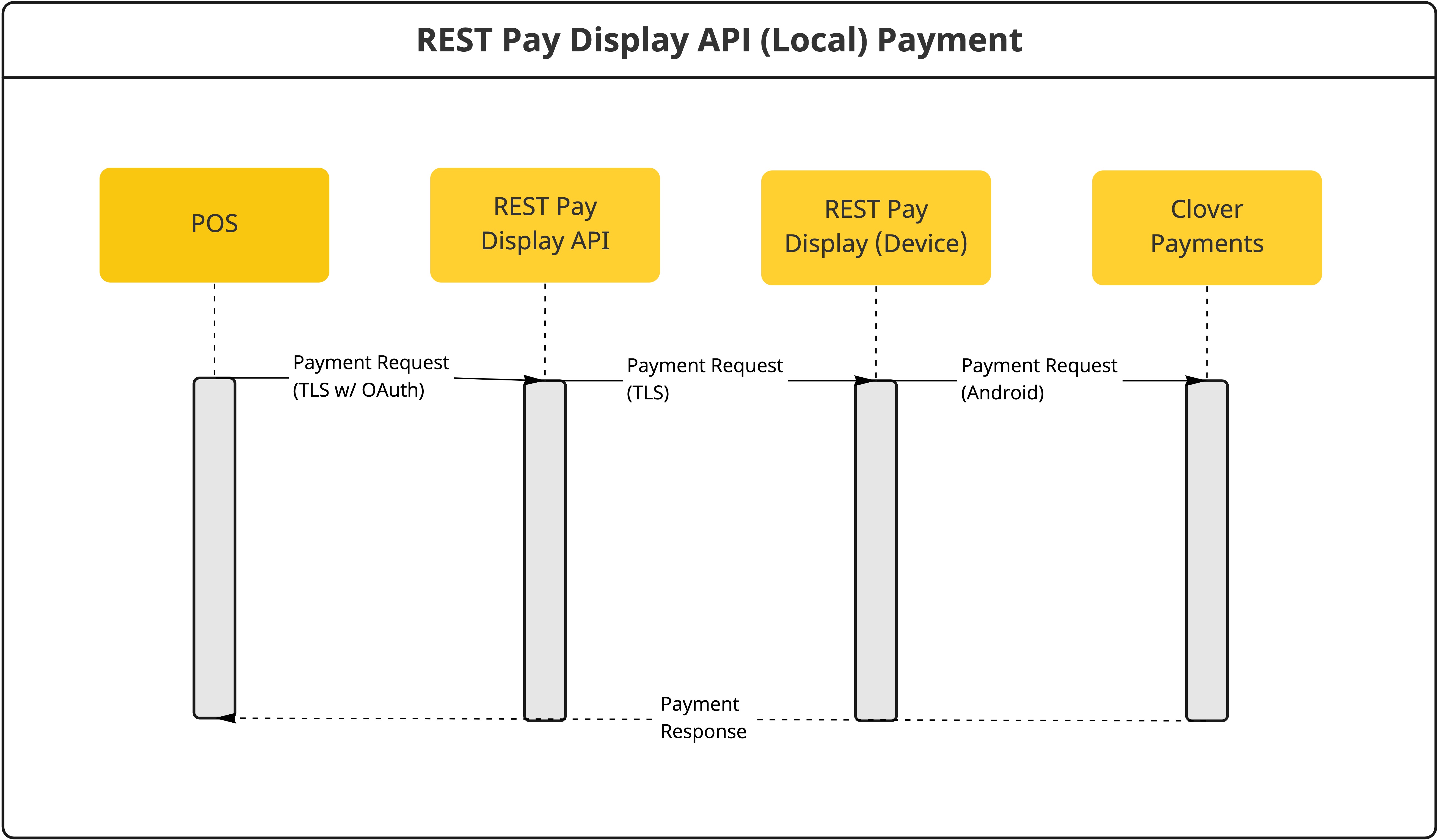
* Local connection uses an embedded server within the REST Pay Display App on the device to broker messages between your POS app and the device.
### Cloud connection
Clover maintains a cloud service for establishing a web socket connection between your application and the Clover device.
This type of connection is simpler to configure but requires a consistent, fast connection to the internet within the merchant's facility for optimal performance.
See [Configure a cloud connection](https://docs.clover.com/dev/docs/configuring-a-cloud-connection) for more information.
### Local REST connection
Your POS can connect directly to the Clover device over a local area network (LAN). This connection:
* Uses the Clover Device Server app to connect with your POS using WebSocket Secure (WSS) via TLS.
* Requires your POS to trust the Clover certificate authority (CA) that has issued the Clover Device Server certificate.
> 📘 Offline Payments Only Available Using Local Connection
>
> If your merchants are in the US, they can process offline payments with a local connection.
See [Configure a local connection](https://docs.clover.com/dev/docs/configuring-a-local-connection) for more information.